Small marks appear on cards and rows all over the app. Each one means one thing, always the same thing. This page is the decoder.
The sleeve is the ownership marker. A card drawn in a full sleeve is one you own in that exact version and finish. A partial sleeve means you own the card, but a different version. No sleeve means you do not own it.
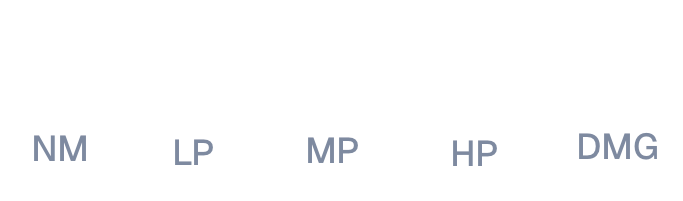
The condition shape sits next to the count on owned cards: a circle for Near Mint down to a triangle for Damaged. The more sides, the better the card. The full scale is explained in Cards, conditions, and versions.
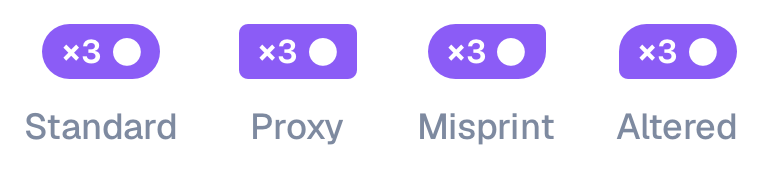
The count pill shows how many copies the card stands for, like ×3. On a foil card the pill wears a foil shine with black lettering, and the card itself gets a thin border in foil colors.
The pill's corners also carry the copy's special marks: a proxy makes the pill a full square, a misprint sharpens its top right corner, and an altered card sharpens its bottom left. Altered and misprint together sharpen both. Any of these marks makes the pill show even on a single copy, so the shape is always visible.
STAPLE on a card in the commander lists means most decks run this card no matter the commander, like Sol Ring. It marks the automatic picks, so the other cards around it are the interesting ones.
A seal with a checkmark on a copy means it is an exact match: the same printing and finish the slot asks for. Copies without the seal are the card in another version or finish.
The copy picker's header tells you which rule the brew is using: Exact match only, or Any printing.
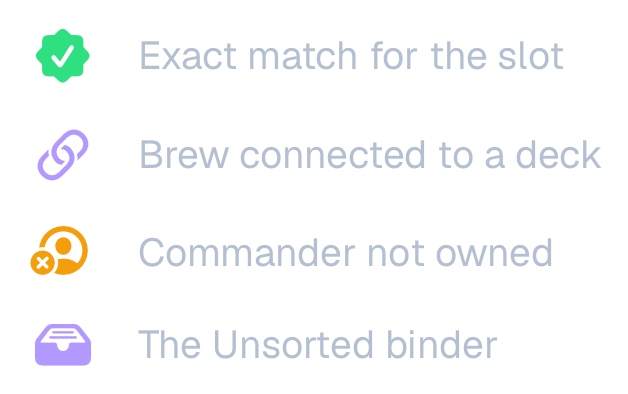
A link mark on a brew row means the brew is connected to a deck. Changes to the brew can be pushed to that deck with Update deck.
A crossed-out person on a commander in Spark Finder results means you do not own the commander card itself. The deck may still be very buildable, you just need to get the commander.
A tray badge on a binder row marks the Unsorted binder, the inbox for cards without a home.
Percentages in green to red next to decks measure how much of the deck you own. Green means close to complete, red means far.
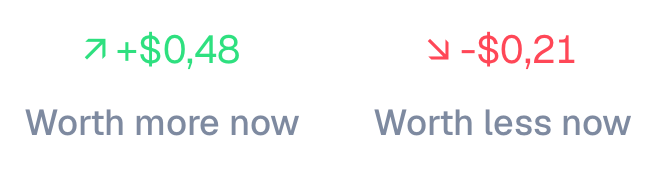
Price arrows next to a value show how the price moved since you got the card: up, down, and by how much.
A gold bookmark in a card's top corner means those copies are reserved: another brew slot already has them assigned. You can still assign them yourself, and Sparkheim asks first, since taking them removes that assignment.
The brew count pill shows how many copies a slot has out of how many it needs, and the small icon beside the count says where those copies came from. A hand means you picked them yourself. A wand means Sparkheim matched them from your binders. A leaf means basic lands, which a brew treats as always available unless you ask it to match those from your collection too. A dotted circle means the slot is still empty. The pill itself wears your theme's accent, or the foil shimmer when the copies are foil, so it is the icon that tells the states apart rather than the color.